1/31/13

Beautiful relax islands HD apk 2.03

Beautiful relax islands HD apk 2.03

Image Image
Beautiful relax islands HD apk 2.03 android app download 

Various effects like:
- Mooving clouds,
- Birds(school)
- Moving isles (Speed control)
- Improoved HD graphics
- Animated dog
- Animated bicycle
- Animated kite
- Animated twinkling of stars
- Animated meteorite
- Low battery consumption

Harmony Live wallpaper pleasing to the eye, soothing and promote relaxation.
Optimized for TABLET PC and Andoid phones.

What's in this version : (Updated : Jan 31, 2013)
Increased isles and birds speed.
Bubbles added.
Bugs fixed
Free Download here 

HD Widgets apk 3.8

HD Widgets apk 3.8

Image Image Image
HD Widgets apk 3.8 android app download 

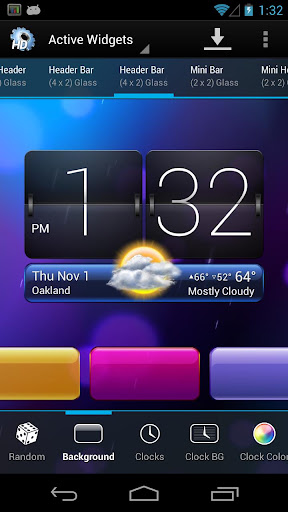
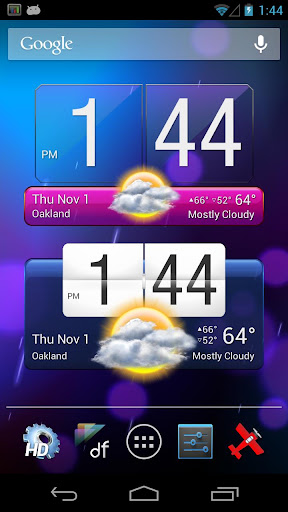
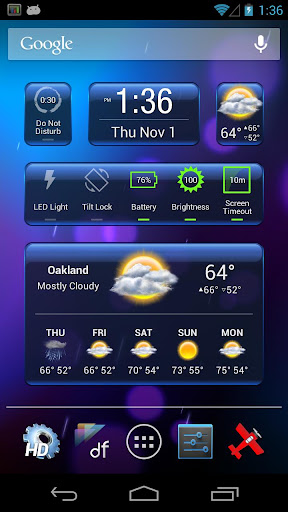
The app includes a dozen colorful, widgets including special tablet-sized widgets for 7" & 10" Honeycomb tablets. Most display time and weather while the larger ones include your choice of 5-day forecast or utility switches.

The best part of HD Widgets is how fun and easy it is to use. Everything in the app is swipe-able: the menu, the pages, and the options. You just swipe left and right to change details on the fly. You can mix and match 30 different clocks (LED, flip clock, and Honeycomb) with backgrounds, layouts, and options. Simple!

App Features
- fullscreen tablet app
- fun & unique "slidey-nav" UI
- quick and easy editing
- visual configuration
- page swiping, menu swiping, option swiping
- Fullscreen weather activity
- HD weather icons
- quick tips to help you get started

Widget Features
- lots of beautiful widgets
- clock, date, location, weather, forecast, & utility switches
- LED, Flip Clock, & Honeycomb clock designs
- over a dozen backgrounds
- large made-for-tablet widgets
- 100s of configurations
- hot spots for alarm clock, calendar, & weather

Options
- choice of AccuWeather or WeatherBug service
- 12 / 24 hr clock
- F / C temperature

What's in this version:
3.8
- NEW Notification Widgets: Battery & Weather
- Colourform Test pack (separate apk)
- Colourform settings: opacity, tile, texture, & colors
- Settings for Brightness & Night Brightness switches
- Widgets: RTL text fixes
- Bug Fixes
Free Download here 

Carbon - App Sync and Backup (Premium) apk 1.1.2.1

ImageCarbon - App Sync and Backup (Premium) apk 1.1.2.1 app android download

Carbon does NOT require root. All Android users can use Carbon to backup and sync Android applications.

Carbon lets you backup your apps and data to your SD card or cloud storage. With Carbon, you can sync app data from your other Android devices-- even if they are not on the same network. Set up backup schedules with Carbon, and never lose data again.

Carbon Setup
1. Install Carbon on Android
a) Root user? You're done!
2. Install and run Carbon Desktop (link below)
a) Windows users must install their Android drivers as well
3. Connect Android to computer.
a) You may need to set your USB Connection Mode to "PTP". (Nexus 7, Nexus 10, etc)
4. Carbon on Android should now be enabled.

Carbon (Free) features:
Backup and restore to SD card
Backup and restore from PC

Carbon (Premium) features:
No ads
Automatic Backup schedules
Android to Android sync
Cloud backup and restore
* Dropbox
* Box
* Google Drive

Note: Carbon is NOT available to Motorola devices. This is because Motorola phones have a bug that break Android's backup mechanism. Until this is fixed by Motorola, Carbon will not work on those Androids. You can download Carbon manually here:
http://download.clockworkmod.com/apks/Backup.apk

If you find that Carbon *does* work on your Motorola Android, please notify me.

Carbon Desktop Installer (non-rooted users):
http://www.clockworkmod.com/carbon

What's in this version:
1.1.2.1 Fix scheduled backups not working if screen is locked.
1.1.2.1 Fix premium notification not going away after purchase.
Free Download here 

1/7/13

ASTRO File Manager / Browser Pro apk 4.2.459


STRO File Manager / Browser Pro apk 4.2.459

Image Image Image
STRO File Manager / Browser Pro apk 4.2.459 app android download 

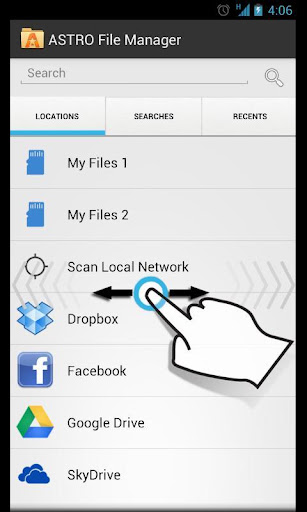
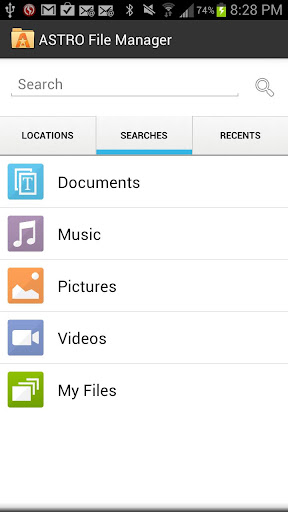
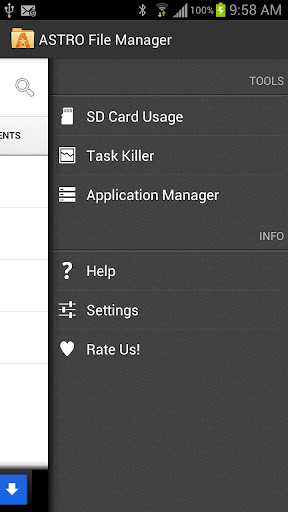
Features include: file management, file and/or app backup, Image and text viewers, networking, MSB, Bluetooth, SFTP, Zip Tar, downloader, thumbnails, search files, application manager, task manager, attachments and more…

Please visit our website for a Quick Start Guide, FAQ's and Documentation. http://www.metago.net/astro-users.php. Get In-App Support by clicking Menu in ASTRO, then More and Help.

The ad free version, ASTRO File Mng Pro is available on the left (see More from developer)

ASTRO currently supports 9 languages including: English, French, Spanish, Italian, German, Japanese, Korean, Traditional Chinese and Simplified Chinese.

What's in this version:
Box integration.
View Settings allows you to change size of icons.
Fixed:
ASTRO NO LONGER RUNS IN BACKGROUND
Shortcut (the Star) Creation & Deletion works
Search & Advanced Search
** Click "My Files" for file management (copy/move/delete/etc) **
* NEW: Facebook Photo support
* NEW: New Picture Gallery
* NEW: Image Viewer enhancements including rotate picture
* SkyDrive, Google Drive, Dropbox support
Free Download here 

GO SMS Pro apk 4.72 Build 117

GO SMS Pro apk 4.72 Build 117

Image Image
GO SMS Pro apk 4.72 Build 117 app android free download
GO SMS Pro is the most popular messaging app; Very powerful, Cool, Funny, Safe, Fully customizable; Well support SMS/MMS + GO Chat(free message) + Walkie Talkie(free voice). MUST HAVE.

★ Features
-- Full SMS/MMS support
-- GO Share service, send file through 2G/3G/4G or WIFI or by one SMS
-- GO Chat/Facebook Chat support
-- Doodle, Handwriting
-- Private box
-- Schedule SMS
-- Batch modes
-- Popup with quick reply, privacy mode
-- SMS backup and restore by all or by conversations, can be sent to email
-- Many cool themes; also DIY theme, Theme Maker plug-in;
-- Fully customizable look; Supports chat or list style; Font changeable
-- Security lock, support lock by thread; Blacklist

-- Support GESTURE, left/right slip, many transition effect
-- Support Emoji with Emoji pulg-in
-- Settings backup and restore
-- Facebook contact photo support
-- Group texting
-- Notification with privacy mode and reminder notification
-- Support folders view: Inbox, Outbox, MMS, created folders, encrypt folders
-- Individual customization for Notification , Signature and Conversation
-- 1x1 icon widget with message count and 4x2 medium widget
-- Support many languages
-- Online SMS lib
-- Handy, build-in Contacts
-- Night mode
-- Stock SMS can be removed (but please be care)
-- Split large messages for CDMA
-- Time offset adjustment
-- Avoid disordered messages: sort by time or by order of msg sent/received
-- Localization support for accented chars: by enabling Czech, Polish and French SMS mode
-- Quick text management
-- Messages grouping (Group mode or Separate mode)

★ Users feedback extract:
▪ Love how it's easy to use and very fast; Nicer, slimmer and smoother than Handcent SMS or chompSMS

What's in this version:
V4.72 Update (2013-1-6)
1. Add My Center and task system, finish simple task to get credit, and use the credit to exchange paid themes
2. Add theme preview
3. Update guidance UI
4. Other UI/UE improvement and bugs fix
Free Download here